
Listening to the Bible via audio helps with devotion, study, and when we're on the go. Apps like YouVersion, Bible.is, Faith Comes By Hearing, and Bible Gateway allow you to follow along with the texts in various situations. Ideal for listening while driving, walking, or doing housework.
These apps offer several advantages. Offline access, multiple translations, high-quality narration, and dramatizations are available. They also help with following daily reading plans and devotionals, making it easier to maintain a spiritual routine.

YouVersion
Available for iOS, Android, iPad, and Mac, there are options for both streaming and MP3 downloads. In Brazil, there are audio Bible apps with narration in Portuguese and features that help save mobile data.
This text showcases the best audio Bible apps. It also provides guidance on choosing by language or translation and how to save data. For a quality experience listening to biblical teachings, choosing the right app is essential.
Which apps can I use to listen to Bible teachings in audio format?
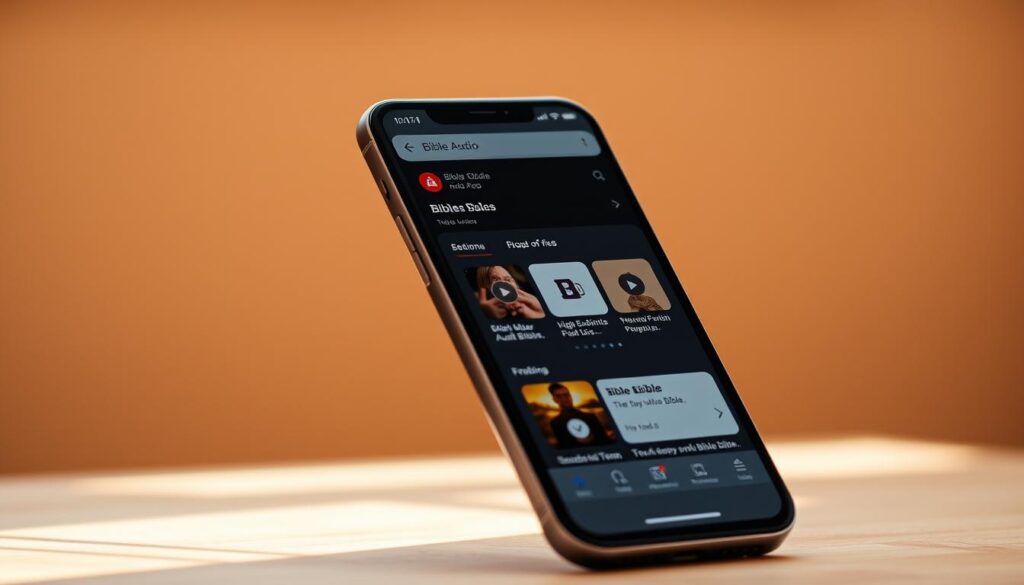
You can listen to the Bible while doing various activities. There are apps for in-depth study, dramatizations, and free offline versions. I'll help you understand the main types and what to consider when choosing one.

Daily Bread
Overview of available app types
We can divide the apps into several categories: those with official audio versions of the Bible, platforms in various languages, public domain collections, text-to-speech converters, and devotional apps. Among the best known are YouVersion, Bible.is, and the Speechify service.
- Official apps: they have various translations and help with reading plans.
- Multilingual platforms: they bring narratives and dramatizations by native speakers.
- Public domain: they offer classic audiobooks, lightweight and free.
- TTS readers and audiobooks: ideal for listening to specific translations.
- Devotionals and podcasts: they enable daily reflection through devotional readings.
Features that make an app good for listening to the Bible.
A quality app offers chapter-based audio, downloads for offline listening, and synchronization. Tools for highlighting verses are essential for students.
In addition, pay attention to features such as dramatized narrations and the selection of a good voice. Those looking to save data should choose MP3 downloads.
How to choose by language, translation, and narration.
First, choose by language or by a reliable translation. For Portuguese speakers, look for versions in that language used in your church.
Decide whether you prefer a dramatized narration or a single voice. Dramatizations use different voices, while a single narrator helps with concentration.
- Check if it's possible to select your preferred translation.
- Test the narration quality before downloading.
- Read reviews to learn about offline download and compatibility.
YouVersion (Bible App) — versatility and audio reading plans
YouVersion is perfect for anyone who wants to listen to the Bible. It offers a wide selection of versions, some with narration. This is great for listening in different languages or easily switching between translations.
Audio resources and translations available
- It allows you to listen to chapters and see the text at the same time. This way, you can follow the visual reading while you listen.
- The translations on YouVersion range from modern to classic versions. They are good for comparing and studying.
- There are reading plans that range from devotional readings to readings of the entire Bible.
How to download chapters for offline listening
- First, select the audio translation in the app. Then, click to download and listen offline via YouVersion.
- This helps save mobile data and is perfect for travel or places without Wi-Fi.
- Check if the translation allows downloading. Make sure you have enough space on your device before downloading.
Integration with devotional plans and verse marking.
- The devotional plans on YouVersion are combined with audio, so you can easily follow the schedule daily.
- You can bookmark verses, save favorites, highlight, and take notes to study and review later.
- When you create an account, your progress and bookmarks are saved across devices. This makes it easy to pick up where you left off on another device.
Bible.is offers it in over 1,000 languages.
Bible.is is the perfect place for anyone who wants many audio Bibles. It has Bibles in 1000 languages, ...including lesser-known languages. All of this is designed to help people understand better, taking their culture into account.
The audio recordings are of high quality. Often, they are dramatizations with narrators from the region itself. This helps to better understand the culture and brings a special touch to it.
- Dramatized production for evangelization and teaching;
- Native storytellers who maintain local intonation and rhythm;
- Adapted versions for children and adults.
The app has Bibles in 1000 languages, Excellent for missions and language studies. Missionaries and scholars find unique materials here.
With Bible.is, you can download audio files to listen to offline. This allows you to listen to the Bible anywhere, even without a connection.
- Option to download text and audio for use while traveling;
- Synchronization of Bible.is between devices when creating an account;
- It automatically syncs progress, bookmarks, and notes.
The "Verse of the Day" brings you a verse in several languages every day. This helps maintain a daily spiritual routine. The reading plans are easy to follow, even when you have limited time.
Bible.is reading plans use text, audio, and reminders. You can receive alerts so you don't forget to read or listen each day.
In summary, Bible.is has a wide variety of languages and high-quality audio. Plus, its offline tools make it an excellent choice for those seeking to learn and pray with the Bible.
Faith Comes By Hearing and the partnership with Gideon Bible
This initiative combines technology and faith to bring audio Bibles around the world. Faith Comes By Hearing offers high-quality recordings that can be downloaded in MP3 format. This helps people in places with limited internet access.
Their goal is to reach people worldwide. They offer Bibles in many languages, read by native narrators. The formats are designed for local use and celebrations.
The Gideon Bible app has tools to help with studying and memorization. With it, you can mark verses as favorites, highlight important parts, and take notes. This information is synchronized across different devices.
- Search by language or country, including Portuguese, Spanish, English, and Chinese.
- Downloadable text and audio from the Gideon Bible for offline use.
- Option to share verses via social media, SMS, and email.
The project is supported by the Digital Bible Platform and non-profit organizations. It is funded by donations and partner support. This allows for free distribution and constant updates.
For churches, missionaries, and content creators, the combination of Faith Comes By Hearing MP3 With the Gideon app, you can create targeted audio material for the community. The Digital Bible Platform ensures that the content is always available and up-to-date.
Bible Gateway and audio resources for study.
Bible Gateway combines search and audio tools for Bible students. It's easy to listen to popular translations and follow the text at the same time. You can also apply filters and access helpful commentaries.
Discover more about audio, text synchronization, and study resources below.
Popular versions available in audio
- Bible Gateway has audio versions of the NLT, ESV, NIV, and other major translations.
- The narratives are presented in simple, dramatized styles, ideal for study and classes.
- It's easy to compare different translations while listening.
How to follow the text while listening
- The platform displays the highlighted verses in sync with the audio.
- While listening, you can underline and take notes, which helps with memorization.
- It is also possible to pause, rewind, and bookmark important parts to study later.
Search filters, comments, and audio reading plans.
- With the search filters, it's easy to find specific books, chapters, keywords, and versions.
- Integrated commentary and dictionaries provide historical and theological context during the listening experience.
- Audio reading plans make it easy to follow daily or thematic schedules in an organized way.
KJV Audio Bible, PublicDomainAudiBibles, and other public domain options.
For those seeking classic versions at no cost, there are several public domain options that facilitate access to audio versions of Scripture. With these files, it's possible to listen to the Bible on common devices. They are also useful for teaching projects and for downloading chapters for offline study. The flexibility of MP3s makes it easy to listen on cell phones, players, and meeting sound systems.
Advantages of using Bibles in the public domainVersions like the King James Version are available for download without legal restrictions. This greatly helps those seeking material for studies, classes, or evangelism. PublicDomainAudiBibles It offers a variety of free recordings, making it easy to find the perfect version.
Compatibility with web and offline appsMany people listen to the online Bible directly in their browser or use offline KJV apps that allow them to download the files. The MP3s are compatible with native iOS and Android players. It's a good idea to check if the app allows you to navigate by chapter to find passages quickly.
Variety of accents and versionsPublic repositories have recordings in British English, American English, Spanish, and other languages. The diversity of accents helps in studying pronunciation or when culturally correct intonation is needed. Always choose a version that fits your routine, is clear, and has a good rhythm.
To organize your listening sessions, create playlists by book or theme. This way, you can make better use of the resources available. PublicDomainAudiBibles and the KJV Audio Bible. This also helps save space on your device and ensures access even without an internet connection.
Brazilian apps and apps in Portuguese — offline options and compatibility.
There are Brazilian apps that make it easy to listen to the Bible in Portuguese. These audio Bible apps have it all: full audio, easy navigation, and even downloads for offline listening.
See which apps and features to consider to choose the best option for you.
Apps with full audiocertain apps, such as Holy Bible with Audio, They narrate all 66 books in MP3 format. And you can download chapters to listen offline. Check if they have the complete Old and New Testaments.
Interface and usabilityChoose apps with a clear interface and easy-to-use buttons. A good interface makes listening to the Bible in Portuguese much easier.
Audio qualityPlease test the audio quality before downloading. Clear, noise-free recordings are essential for a good experience.
iOS/Android compatibilityPlease check the system requirements before downloading. This helps avoid installation problems.
Permissions and privacyIt's important to know what permissions the app requests. Understanding the privacy policy protects your data.
App size and storageThink about how much space the audio will take up. Use Wi-Fi to download and organize your storage space to avoid surprises.
User reviewsCheck the app's ratings and updates. Recent comments provide clues about the app's stability and any issues that have been fixed.
To make the right choice, pay attention to positive reviews and test the audio. Try the free version and see if you can highlight verses.
If you're going to listen while traveling, it's best to download chapters. Adjust the audio quality to avoid using too much space. It's important to plan your storage usage and permissions.
Choose an app with a simple interface and good compatibility. This way, you'll have a pleasant experience listening to the Bible in Portuguese.
Audiobook platforms and text-to-audio readers (Speechify and similar)
When official narration is unavailable, text-to-speech tools are useful. Programs like Speechify easily transform text into audio. This is ideal for accessing rare translations or academic content.
When to use a text reader to listen to specific translations
Text readers are good for rare versions of the Bible or detailed studies. They allow you to quickly check translations and listen to explanations without a computer. audio bible Ready.
- Quick access to text translations
- Perfect for researchers and students.
- Works with PDFs, EPUBs and websites
Speed adjustments, marking, and use for Bible study.
Adjusting the TTS reading speed in Speechify is very helpful. It allows you to read faster or slower for better learning. Bookmarks and notes are also helpful in preparing for studies and sermons.
- Speed control: adjustable for revision.
- Highlighting and marking: easy to use
- Audio export: creates files for offline listening.
Limitations and advantages compared to dedicated Bible apps.
Text-to-speech (TTS) systems have advantages such as the use of any text and choice of voice. They are useful when there is no narration and help people with visual impairments.
Disadvantages include mispronunciation and lack of emotion in the voice. Copyright issues can be a hindrance.
Use TTS (Text-to-Speech) for the Bible when human recordings are unavailable. For devotional moments, opt for apps with professional narration. This ensures faithfulness to the text and efficiency in study.
Additional audio resources: Daily Audio Bible, podcasts, and devotionals.
Short audio episodes help create a daily routine of reading and thinking. Daily Audio Bible It offers readings in order with helpful tips. It's perfect for those with a busy schedule.
The format of daily episodes and how this helps a devotional routine.
Daily Bible podcasts typically last from 10 20 minutes. This short time is ideal for listening while you move, exercise, or take care of the house.
By maintaining a consistent daily routine, it becomes easy to follow long readings and memorize verses. Regularity builds habit and encourages daily reflection.
Examples of content: annotated readings, music, and reflections.
- Detailed and continuous readings of the Bible, explaining the historical context and how to apply it to life.
- Music for devotional moments and worship is included in the episodes.
- Interviews and reflections on a variety of topics that don't take up much of the listener's time.
These formats cater to those seeking guidance, who prefer to hear interpretations of the Bible, or who enjoy combining music and prayer in their daily routine.
How to integrate podcasts with Bible apps for deeper study.
Listen to Daily Audio Bible While reading the same text in the YouVersion or Bible Gateway app, you can follow different translations and take notes as you listen.
- Save episodes or segments you like best in your podcast app and bookmark verses in the Bible app.
- Create reading plans that combine podcast episodes with Bible reading.
- Share interesting excerpts with your study group or save them as a reminder for yourself.
This combination of podcast and Bible app enhances understanding and makes daily devotional time a valuable learning experience.
How to listen to the Bible offline and save mobile data.
To listen to the Bible offline, prepare the app before you lose signal. You can download books, chapters, or even entire plans in most apps. This helps save mobile data and allows you to access the scriptures whenever you want.
Common procedures for downloading audioFirst, open the app and choose a translation that has audio. Then, simply select what you want to listen to. Apps like YouVersion, Bible.is, Faith Comes By Hearing, and Gideon Bible have a download button. Some will allow you to download by chapter, others the entire book.
How to download audio from the Bible step by step.
Use reliable Wi-Fi.
Choose carefully which narration you want to listen to.
Tap download or choose specific chapters.
Check if the download is complete and if you can listen to it offline.
Space management and formatsDownloads are usually in MP3 format, which everyone can play. Check the size before downloading. This way, you won't have any surprises with storage space on your phone. Other apps require you to use the app itself to listen offline. Try choosing MP3 if you're going to listen on other devices.
Tips for saving space
Download only what you will actually use, such as books or specific plans.
Delete what you no longer use and move large files to the SD card.
It's best to download chapters separately to avoid filling up your memory.
Tips for listening in places without internet access and while traveling.Create playlists with your favorite songs, such as psalms or gospels, before traveling. Test them to make sure everything works well. Bring a portable charger and quality headphones for a better experience. Keep the app updated to avoid problems without internet access.
Save mobile dataDownload using Wi-Fi to avoid using up your data. Avoid listening online outside your home. If you're on the go, it's best to listen to what you've already downloaded.
Examples like Faith Comes By Hearing and Gideon Bible let you download audio and text in MP3 format. YouVersion and Bible.is have many translations available for download. With these tips, you can download Bible audio and listen offline without worrying about data usage.
Organizing content by topic makes everything easier. Plan your downloads over Wi-Fi and manage your device's storage space. This way, listening to the Bible is easy anywhere, even on long trips.
Conclusion
Several options are available for those who want to listen to the Bible in audio. This includes apps like YouVersion and platforms like Bible.is and Faith Comes By Hearing. There are also projects like Gideon Bible that offer versions for offline listening at no cost, and TTS readers like Speechify help access rarer translations.
When choosing a good audio Bible app, consider which language and translation you prefer, as well as the narration style. YouVersion is great for its versatility. Bible.is and Faith Comes By Hearing are excellent for those seeking different languages and dramatizations. Gideon Bible is ideal for synchronization and offline use. And for fans of classic versions, KJV Audio and public domain collections are good choices.
To save data, download the chapters. And to enrich your experience, combine these apps with podcasts and devotionals. Choosing an audio Bible is simple: find an app in your language that has the narration style you like, try it out to see if you enjoy it, and use that content during your reading and reflection time.
FAQ
What apps can I use to listen to Bible teachings in audio format?
You can listen to the Bible on apps like YouVersion and Bible.is. There's also Faith Comes By Hearing, Bible Gateway, and others. They vary in languages, dramatizations, and how you can download them, either as MP3s or online.
What types of audio Bible apps are available?
There are apps with various translations and plans, such as YouVersion and Bible Gateway. Some offer dramatizations and spoken word in rare languages, like Bible.is. Public domain projects and apps like Speechify are also options, as well as daily podcasts, such as... Daily Audio Bible.
What features make an app good for listening to the Bible?
A good app offers chapter-by-chapter audio and downloads for offline listening. It syncs your favorites and notes across different devices. It also searches for words and follows the text as you listen. Features like dramatized narration and multi-language libraries are advanced.
How do I choose the language, translation, and narration type?
Choose an app with audio in Portuguese if that's your language. Decide on the translation based on your goal and preference for dramatization or a single narrator. Check the speed and voice quality and whether it's compatible with your device.
What audio and translation features does YouVersion offer?
YouVersion has many versions in various languages, including audio versions. It offers chapter-by-chapter playback and text-to-audio synchronization. It has audio reading plans and allows you to bookmark and annotate verses. You can follow daily plans and share your progress.
How do I download chapters on YouVersion to listen offline?
Select the audio translation in the app and download it to listen offline. Availability varies. It's a good idea to use Wi-Fi and check your device's storage space, as audio files can be large.
How does YouVersion integrate devotional plans and verse bookmarking?
YouVersion lets you listen to audio devotional plans and track your progress. You can bookmark favorite verses, highlight, annotate, and share. By creating an account, your data will be saved and synced across devices.
What sets Bible.is apart in terms of languages and dramatizations?
Bible.is has audio Bibles in over 1,000 languages, many with dramatizations and narration by native speakers. It's great for less-known languages, missionaries, and multilingual communities, offering a culturally relevant narrative.
Does Bible.is allow offline listening and syncing between devices?
Yes. On Bible.is you can download audio and text to use offline. By creating an account, you can sync your favorites and notes across different devices. It also has narrated reading plans and an audio "Verse of the Day" feature.
Does Bible.is offer audio reading plans and a "Verse of the Day"?
Yes. It offers reading plans with audio components and also provides the "Verse of the Day" in audio format. This helps maintain a daily reading routine.
What does Faith Comes By Hearing offer and how does it relate to the Gideon Bible?
Faith Comes By Hearing offers audio Bibles in over 1,400 languages, in MP3 format and online. The Gideon Bible app has audio search and download functions. Both are supported by non-profit organizations and use the Digital Bible Platform.
What features does the Gideon Bible app offer?
It allows you to search by language, download audio and text for offline use. You can favorite and highlight verses, add notes, and share them on social media. With a free account, you can sync your information across devices.
How do the Digital Bible Platform and ministries support these projects?
The Digital Bible Platform and ministries like Gideons International fund the distribution of audio Bibles. They use donations and partnerships to bring the Word to people around the world, in various languages.
What audio versions does Bible Gateway offer for study?
Bible Gateway offers popular versions like NLT and NIV in audio format. It focuses on study with synchronized text, commentary, and search tools that accompany the audio.
Is it possible to follow the text while the audio plays on Bible Gateway?
Yes. On Bible Gateway, you can see highlighted verses as the audio plays. This helps with memorization and study while listening.
What research and study support tools does Bible Gateway offer?
You'll find search filters, access to comments, dictionaries, and study notes. There are also audio reading plans to follow while you study.
Why use KJV Audio Bible and PublicDomainAudiBibles?
These projects allow for free MP3 downloads and universal playback. They are great for personal study and educational projects, especially if you prefer classic versions without copyright restrictions.
How do these public domain resources work on the web and in offline apps?
You can listen directly in your browser or download it as an MP3. Some have apps for offline playback. This ensures you can listen on almost any device.
Are there a variety of accents and languages in public domain resources?
Yes. You can find recordings with various accents, which is good for language practice and evangelism in different languages.
Which Brazilian apps offer full audio of the Bible and compatibility?
Apps like “Holy Bible with Audio” have full audio in Portuguese, easy navigation, and offline playback. Check your device's system requirements before downloading.
What should you look out for when using apps in Portuguese?
Check if the interface is in Portuguese, evaluate the audio quality, and verify if the app is compatible with your device. Check the app size and user reviews. Test the audio before making large downloads.
When should you use text-to-speech readers like Speechify?
Use Speechify to convert text into adjustable audio when there is no official narration. It's good for specific studies or special translations that don't have a spoken version.
What settings and features does Speechify offer for Bible study?
Speechify lets you control the speed and choose voices. It also allows you to bookmark and take notes. This way, you can listen to passages quickly or prepare sermons and studies.
What are the limitations of TTS compared to human narration?
Text-to-speech (TTS) narration may not have the correct intonation or pronunciation. Human narration is better for devotionals, but TTS is more flexible.
How do podcasts and audio devotionals, such as the Daily Audio Bible, help with daily routines?
Daily podcasts help create a devotional routine. They offer readings, commentary, and music. This complements your Bible study.
What types of content can I find in biblical and devotional podcasts?
You'll find annotated readings, reflections, music, and interviews. Many also suggest translations and offer tips for supporting your studies within the app.
How can I integrate podcasts with Bible apps for a richer study experience?
Follow along with the episodes by reading in the Bible app. You can annotate verses, mark favorites, and create study plans. Share excerpts and sync notes for continued study.
How can I listen to the Bible offline and save mobile data?
Download the audio by chapter, book, or plan in the app using Wi-Fi. Make sure the file is in MP3 format. Delete unused versions to free up space.
What formats and technical considerations should I look out for when downloading audio?
Prefer MP3 files, as they are more compatible. Check the audio quality and file size. Some apps allow selective downloading, which is convenient.
What practical tips work for listening while traveling or in places without internet access?
Download essential files beforehand and create playlists. Use good headphones and bring an extra charger. Test everything before leaving and make smart downloads to avoid filling up your storage space.
How do I manage device storage space when storing audio Bibles?
Download only what you need and delete what you no longer use. If possible, save it to an SD card. Use Wi-Fi to avoid wasting your data on large downloads.
Which apps are recommended for those seeking in-depth audio study?
For more in-depth study, try Bible Gateway or YouVersion. They have commentary and multiple translations, as well as audio synchronized with the text.
Which apps are ideal for listening in native languages or rare languages?
Bible.is and Faith Comes By Hearing are great for less common languages. They offer native narrations and culturally appropriate dramatizations.
Which options are lighter and more suitable for limited offline use?
Public domain apps, including some Brazilian ones, are good for saving space. They offer downloads by book and are simple to use without internet access.
What keywords should I use when searching for audio Bible apps?
Search for terms like "audio Bible," "offline download," and "native narrator." This way, you'll find the best options for your needs.
Content created with Artificial Intelligence Assistance