We’ll show you apps and platforms to read Christian books for free or cheap. Let’s talk about the Christian books, YouVersion / The Bible App, Project Gutenberg, Google Books, EpubBooks, Christian Classics Ethereal Library and Amazon Kindle are also included in the project. Those are good options in Brazil.
Using a Christian book app is very helpful in understanding the Bible, studying theology and doing devotional reading. They’re great for those just starting out in the faith, church leaders and students of theology. With them, you can find from Free worship services even the classics.
Bread for the Day
Let us explain how to find Christian books at a good price. Let’s show you how to differentiate a free Bible app from the paid ones. Let’s look at cool features like offline reading, night mode and adjusting the font size. The goal is to help you choose the best app for your reading style.
What apps offer free or affordable Christian books
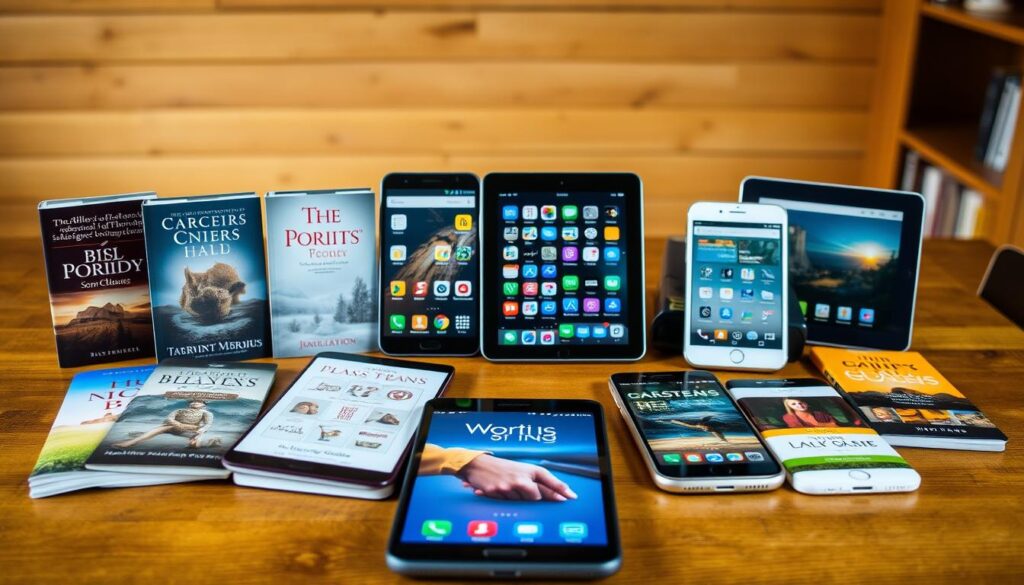
For those looking for digital Christian reading, there are many options. Free apps are available, as well as paid platforms with discounts. There are also public and private libraries.
Overview of the types of applications available
- Non-profit platforms with free collections, for example projects that publish classics and devotionals.
- Popular Bible and devotional apps like YouVersion / The Bible App, with reading plans and various versions.
- Public domain repositories, including those from Project Gutenberg and Google Books.
- Thematic digital libraries such as the Christian Classics Ethereal Library, focused on historical works.
- Commercial stores such as Amazon Kindle and Brazilian marketplaces, which often offer seasonal promotions.
YouVersion
Main advantages of using apps for Christian reading
Christian digital reading offers quick access to various materials without taking up physical space.
Apps bring conveniences such as daily plans, read adjustments and cross-device synchronization. They facilitate devotional practice and regular study.
Offline reading helps where the Internet is limited. And digital books are cheaper than printed ones.
Criteria for assessing whether an application is truly free or accessible
- Check for the presence of free content versus in-app purchases and subscriptions.
- Check the transparency of the mission: non-profit organisation or commercial enterprise.
- Assess the quality of translations, notes and comments provided.
- Read the privacy policies to know what data is collected.
- Confirm support for multiple languages and regular content updates.
- Test offline functionality and study tools before relying on the app.
By following these steps, you can better choose between Christian apps. You’ll know which ones are free and no surprises.
Apps with free and non-profit Christian libraries
There are digital projects that offer Christian works at no cost. They facilitate access to literature and Bible studies. This reinforces the commitment to transparency and support for the community.
Description of the app “Christian books” and non-profit mission
The app “Christian books” is maintained by a non-profit organisation in the Netherlands. Their mission is to distribute Christian material to people worldwide.
This app focuses on being accessible to everyone, with translations and formats for simple devices. Those looking for a Christian app will find an extensive free catalogue here.
Resources offered: worship services, Bible studies and commentary
- Daily devotions organized by theme and duration.
- Bible studies with reading guides and questions for reflection.
- Bible commentaries and study notes by recognized authors.
- Christian biographies, basic theology and fiction with a focus on Christian values.
- Reading settings: adjust the source, brightness and night mode.
THE Free of charge Christian library receives constant updates and new languages. The interface is easy to use for all ages.
Privacy and data policies: no collection of personal data
The app guarantees that it does not collect or store personal data. This ensures privacy for those seeking free content.
The commitment to privacy earns praise from church leaders and teachers. It makes this Christian app trustworthy for education and devotion.
Popular apps for Bible and devotional readings in Portuguese
There are apps that bring together biblical, devotional texts and useful resources. They serve a variety of tastes and needs. Some seek detailed study, others prefer brief readings upon awakening.
THE The Bible App, or YouVersion, it’s free and works on Android and iOS. It carries various Bible versions, such as the New International Version and Almeida. It also offers thousands of reading plans and devotional to all.
The app makes reading easier by adjusting text size and offering a night mode. You can select translations, save notes and read comments in some editions.
To read it offline, you can download the Bible in Portuguese. So you keep your readings and notes synchronized when reconnecting to the Internet.
Finding devotions and plans is easy. You can search by topic, duration or author. There are filters to find specific daily plans or studies for families, youth and leaders.
- Plans by theme: family, evangelism, emotional health.
- Duration: 7, 21 and 90 days, among others.
- Personalized recommendations based on reading habits.
Use the YouVersion along with offline tools helps to maintain a devotional routine. Take the opportunity to interact and study the Bible further with reading plans.
Platforms offering Christian classics in the public domain
You can find many Christian classics for free in reliable repositories. These sites make it easy to access important works. They offer formats that work well with digital readers and e-book applications.
Project Gutenberg is a great place to find free text. You’ll find there books like The Pilgrim by John Bunyan, Imitation of Christ from Thomas to Kempis and Confessions of Augustine. They allow you to read online or download in ePub and Mobi. So lower The Pilgrim You don’t have to pay anything, and reading offline is easy.
Google Books and EpubBooks are good choices for finding free books. Google Books has several digitized editions that you can view online when the book is in the public domain. EpubBooks brings together downloadable classics, making it easy to find Imitation of Christ for download or even The Pilgrim Free of charge.
The Christian Classics Ethereal Library is located at: (CCEL) has many Christian titles in English and some translated versions. There, you find texts on theology and written by people like C.S Lewis, please. For those of you who want historical studies or translations, there are full versions ready to save and read on any device.
- Available formats include ePub, Mobi, PDF and online reading.
- Pros: free access, preservation of classic works, compatibility with reading apps.
- Tips: check editing metadata and preface to confirm the quality of your translation.
Apps and stores that sell affordable Christian e-books
Buying Christian books online has become easy and cheap. Amazon and digital sieves are great for people who want to save money. You find a lot of deals looking like that.
Amazon Kindle has promotions every day. They offer discounted collections and even free e-books. People who sign up for Kindle Unlimited read a lot of books without paying extra.
Brazilian stores like Saraiva and Magazine Luiza also have discounts. They have special sections on the website with books for sale.
- Use price filters to find good deals.
- Search for free Christian e-books.
- Take advantage of the lightning promotions on Amazon Brazil.
Choosing the right Bible means looking carefully at extras. The paid versions usually have extra stuff like notes and maps.
Think about what’s important to you. Compare the price to the resources that come with the Bible.
To buy a Christian Kindle without spending too much, keep an eye on promotions. Brazilian stores have good prices on special dates.
When choosing, consider whether the e-book works well on your device. And if it’s easy to take notes. That way, you get the most out of what you pay for.
Applications with multilingual content and international reach
Brazilian readers benefit when apps have multilingual support. This helps immigrants and students to understand original texts. Having works in different languages like English and Persian expands understanding.
Importance of multilingual support
Christian apps that offer multiple languages make reading more accessible. This allows comparisons between translations. In missions and academies, more languages mean greater reach of Christian teachings.
Examples of multilingual apps and platforms
- YouVersion / Bible App: has hundreds of translations and plans in various languages.
- Christian books: texts in English, Dutch, Persian and Kurdish with promises of more languages.
- Google Books and Christian Classics Ethereal Library are great for searching classical works in various languages.
How to Switch Languages and Choose Reliable Translations
- In the app, go to settings and adjust interface language and book languages.
- Choose translations from reputable sources, such as Bible societies or scholarly publishers.
- Use the app’s tools to compare versions and consult explanatory notes.
For in-depth study, choose apps with reliable editorial review. The translation into Portuguese should be from recognised sources, especially for teaching. Multilingual Christian apps are ideal for exploring everything from daily readings to complex research.
Free Christian reading recommendations available in apps
If you want to strengthen your faith without spending anything, there are many options in apps. Here are some tips that mix classics, theology and devotional. They’re all on platforms that are easy to find in Brazil.
- Holy Bible: Versions such as NIV and Almeida are on YouVersion and the App Bible. They offer reading plans and study resources.
- The Pilgrim, by John Bunyan: it is easy to find in public domain catalogues such as Project Gutenberg, Google Books and EpubBooks. See The Pilgrim in those collections.
- Imitation of Christ by Thomas a Kempis: this classic can be found in digital libraries. As well as apps that collect public domain works.
Theological works and classical biographies
- Confessions of Saint Augustine: a copyright free edition is in digital libraries. And online collections that you can access through apps.
- Summa Theologica, by Thomas Aquinas: parts and full volumes are available without copyright on sites such as CCEL and Google Books. They can be read in apps that read ePub or PDF.
- Works by C.S Lewis and biographies of reformers: many of these books are in the Christian Classics Ethereal Library. And in digital Christian libraries, which makes it easier to find free Christian reading.
Devotions and daily readings
- YouVersion and Bible App: offer hundreds of plans by theme and duration. They’re ideal for those who want to follow a 7, 21, or 40-day routine.
- The App “Christian books”: has daily devotions and studies to download and read offline. It’s a great choice for those looking Free worship services to start a habit.
- Helpful tip: Start with a short plan to maintain consistency. Then choose topics like prayer, leadership or family as you grow spiritually.
These options balance tradition and convenience, opening doors to many free readings. Use the search function in your apps to find titles. Thus, you can adjust your reading preferences and save material for future study.
How to choose the best app for your reading needs
To choose a Christian reading app, look at four important things: what you can read on it, what it does, how it protects your information and how much it costs. A good plan helps you avoid surprises. So you find an app that matches your reading and studying style.
Check the catalogue, quality of translations and editorial comments
See if the app has versions of the Bible that you like, such as Almeida or NIV. Look for major works and reference books, as well as study notes. Editorial notes and footnotes can help you to understand the text and check the quality of translations.
Assess functionalities: offline reading, notes, synchronization between devices
- Choose to download versions for offline reading.
- See if you can take notes and mark important parts.
- See if your reading can be synchronized between cell phone, tablet and computer. So you do not lose your progress.
- Look for additional tools: word lists, maps, comments and screen adjustment options such as night mode and font size to enrich your experience.
Privacy, cost-effectiveness and technical support considerations
Before downloading, read about how the app uses your data to ensure your privacy. Give preference to apps that are clear about not collecting your personal information.
Look at the price difference between the paid and free versions. Also check how often it is updated and whether technical support is available. Reflecting on these points can help you evaluate your worth and choose the best Christian reading app.
Conclusion
You can find free or affordable Christian book apps. Among them are the Christian books, Bible and devotional apps like YouVersion/The Bible App. There are also public domain repositories such as Project Gutenberg, Google Books and EpubBooks. And we can’t forget about the specialized libraries like the Christian Classics Ethereal Library.
For starters, how about trying out YouVersion for Bible reading and devotional plans? You can also visit Project Gutenberg, Google Books or EpubBooks to find classics of Christian literature. And if you value privacy and want nonprofit content, the Christian books It’s a great choice. When comparing paid study versions, be sure to weigh the grades, reviews and cost-benefit before making your decision.
If you are wondering where to download Christian books without spending anything, start by looking at the official stores for your device and the repositories we mentioned. Try the the best christian apps, explore available reading plans and activate offline features. So you can easily incorporate the reading of Christian publications into your spiritual routine.
FAQ
What apps offer free or affordable Christian literature?
There are several good options available. You can use non-profit apps like Christian Books, which is completely free. There are also Bible apps like YouVersion / The Bible App. And also public domain repositories like Project Gutenberg and Google Books.
In addition, thematic digital libraries and retail stores such as Amazon Kindle are also on the list. And we can’t forget about the digital savages and Brazilian retailers. They offer lots of deals and cheap e-books.
What is the overview of the types of applications available?
There are four main groups. First, the non-profit apps like Christian Books which are free. Then the Bible apps, like YouVersion/Bible App, which comes with many reading plans.
Next, we have public domain repositories of Christian classics. Examples include Project Gutenberg, Google Books and EpubBooks. And finally, thematic digital libraries and retail stores including CCEL and Amazon Kindle in addition to the Brazilian shops.
What are the main advantages of using Christian reading apps?
Apps have many advantages. For example, easy access to devotionals, classics and studies at no cost. They offer reading plans that help with daily follow-up. And for comfortable reading, there are night modes and font adjustment.
You can also read offline and sync your reading between different devices. This represents a great saving and makes materials more accessible to all.
What criteria should I use to assess whether an application is truly free or affordable?
First, see if there’s free content versus paid options within the app. Assessing whether the app’s mission is nonprofit or commercial is also important. In addition, consider the quality of translations, privacy policies and whether the app supports multiple languages.
You should also check for regular updates and that the app works offline. And do not forget the study tools available.
What is the Christian Books app, and what’s its mission?
The Christian Books app was created by a non-profit organization in the Netherlands. Their great goal is to share Christian literature free of charge. This helps to spread the wisdom of renowned authors, pastors and teachers in various languages.
What features does the Christian Books app offer?
This app comes packed with useful features. There are Bible studies, content on Christian life, theology and daily devotions. Bible commentaries, biographies and even fiction are also included.
For pleasant reading, you can adjust fonts, brightness and use the night mode. And the app has frequent updates, always bringing new languages and materials.
What are the privacy policies of Christian Books?
Christian Books makes it a point not to collect or store any personal data from anyone who uses the app. This shows its commitment to user privacy, making it a safe and respectful option.
What YouVersion / Bible App offers for readers in Portuguese?
The YouVersion (The Bible App) is free and has versions for Android and iOS. It offers several versions of the Bible, including NIV and Almeida. In addition, it provides thousands of reading plans and devotions on a variety of subjects. And it has a global community, allowing you to synchronize your reading across different devices.
What important technical features do YouVersion and similar apps have?
They have many useful features. For example, they offer night-time reading modes and allow font adjustment. You can also choose between different translations, and even download content to read offline. And when available, access comments and annotations as well as create highlights and sync across devices.
How to find devotional and thematic plans within YouVersion?
It’s a piece of cake. Use topic, duration or author search in the app. Apply filters to find exactly what you’re looking for, either by duration or type of plan. The app even suggests plans based on your reading habits.
What Christian classics do I find on public domain platforms?
You’ll find several important titles. There are classics like “The Pilgrim” by John Bunyan, “Imitation of Christ” from Thomas to Kempis and “Confessions” by Augustine. These are freely available in formats such as ePub and Mobi, as well as online readings on Project Gutenberg, Google Books and EpubBooks.
How do I use Google Books and EpubBooks to locate free editions?
In Google Books, filter the results to show only books that are free or available for preview. Search by title or author. In EpubBooks, go to the public domain or classics section. There, you will be able to download whatever is available on ePub or Mobi.
What is the Christian Classics Ethereal Library (CCEL) and what it offers?
CCEL is a digital library with several collections of classic Christian authors, including works by.S Lewis and other theological texts. It’s a great place to look up English texts and some translations. Ideal for those seeking historical and theological works.
How does Amazon Kindle and Brazilian stores help you find cheap Christian e-books?
Amazon Kindle has a section just for free e-books and does daily promotions. It also has Christian collections with good discounts. Brazilian stores and digital sellers, such as Saraiva and Amazon Brasil, also enter this list with several promotions. To find the best deals, use price filters and look in the free or promotional sections.
How do you compare paid and affordable study versions?
For comparison, look at the extra features. This includes editorial comments, maps and study notes. Look at the cost-benefit ratio. Paid versions may be better for in-depth study. But many free and classic options in the public domain are sufficient for devotional and basic classes.
Why is multilingual support important for readers in Brazil?
Multi-language support helps immigrants, theology students and those looking for works in original language. This allows access to texts in English, Dutch, Persian and Kurdish. In this way, it expands the search and understanding of important sources.
Which apps offer multiple languages and continuous expansion?
YouVersion has hundreds of translations and plans in various languages. ‘Christian Books’ also promises more languages. In addition, CCEL and Google Books have texts in various languages as available.
How to switch languages and ensure reliable translations within apps?
In settings, choose the language of the interface and texts. Prioritize versions recognized by Bible societies or famous publishers. This ensures serious studies and quality translations.
What essential reading can I find for free in apps and repositories?
You can find the Holy Bible in versions like NVI and Almeida on YouVersion. “The Pilgrim” and “Imitation of Christ” They are at Project Gutenberg, Google Books and EpubBooks.
What theological works and classical biographies are available free of charge?
“Confessions” of Augustine and excerpts from “Theological Summary” of Thomas Aquinas are found at CCEL and Google Books. There are also biographies of reformers and historical texts in the public domain.
What devotions and daily readings are recommended to deepen faith?
Choose short films on topics like prayer and family from YouVersion. Christian Books offers daily devotions and studies. Selecting topics related to your routine helps keep reading up-to-date. Use offline features and app reminders to make it easier.
How to check catalog and quality of translations in an app?
Check the catalog index, look up references from publishers or Bible societies. Read other users’ reviews and test free samples. Check if the app has comments or study notes and offers regular updates.
What features should I prioritize when choosing a Christian reading app?
Give preference to features such as offline reading, note creation and highlighting. Inter-device synchronization, power setting and night mode are also important. Study tools such as concordance, maps and commentaries make a big difference.
How do you consider privacy, cost-effectiveness and technical support in your choice?
Choose apps with a clear privacy policy, such as Christian Books, which does not collect personal data. Evaluate free versus paid features. Check the frequency of updates and availability of technical support. This ensures that you will have security and content always up to date.
Where do I begin if I want to integrate Christian reading into my routine?
Install YouVersion for bible and devotional. Go to Project Gutenberg or Google Books or EpubBooks for the classics. Put “Christian Books” on your phone if you want a free library. Try reading plans and take advantage of offline resources to maintain a consistent reading routine.
Content created with the assistance of artificial intelligence